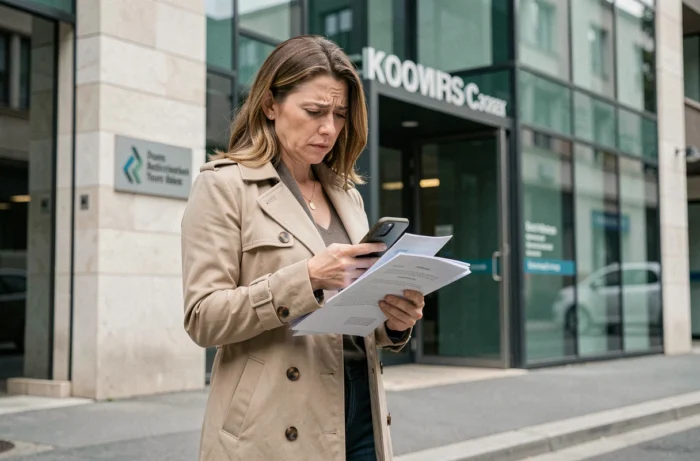
You enter your username, your password, and the page displays a terse error message. The instinct is to try again, faster, by changing a capital letter or a character. The access problem to Pia Orléans Tours rarely comes from a typo. It lies upstream, in the choice of the portal, the status of the account, or a first connection step that was overlooked.
Account activation delay for contract staff of the Orléans-Tours academy
You have just taken up your position in an establishment of the academy. A colleague explains that you need to go to PIA to view your documents. You attempt to log in, and nothing works.
Before thinking of a bug, check if your account is active. For contract staff, activation can take from a few days to several weeks after starting work. This delay depends on the administrative processing of your file by the academic services.
During this period, repeatedly testing your credentials is useless. The account does not yet exist in the authentication system. Each failed attempt may even trigger a preventive lock, complicating access once the account is actually activated. If you find yourself in this situation, the recent documentation on access to Pia Orléans Tours details the observed delays and possible recourse.
The right reflex: contact your establishment’s administration to find out if your NUMEN has been transmitted. This number is what conditions the creation of your account.

Initial password and first connection on PIA
You received your credentials by mail or from your establishment. You enter them as they are. The connection fails. Why?
The first connection requires an immediate password update. The initial password provided by the academy is only valid for this very first authentication. If the change procedure is not completed (accidental browser closure, network interruption), the account remains in an intermediate state.
The trap is that self-service password reset is not available until this first step has been completed. In other words, you cannot use the “forgot password” link if you have never finalized your first connection.
What to do if the first connection failed midway
- Wait a few minutes before trying again. Some portals impose a delay after a failed password change attempt.
- Use a different browser or a private browsing window to avoid conflicts with cached data.
- If the initial password no longer works at all, you will need to contact the academy’s support service via the blocked access reporting form, reserved for national education staff.
The initial password is often composed according to a logic related to the NUMEN and the date of birth. If you are unsure of the exact composition, ask for confirmation from the administration before multiplying attempts.
Confusion between PIA, Arena, and Convergence portals
The Orléans-Tours academy uses several digital environments. PIA, Arena, and Convergence coexist, each with its own login page. They sometimes share the same basic credentials, but logging into the wrong portal results in an access denial even if the username/password pair is correct.
Are you looking for your pay slips? It’s on PIA, via the applications accessible after authentication. Do you want to access your academic email? That’s Convergence. Do you need specific business applications? Arena is probably the right entry point.
How to distinguish the portals of the Orléans-Tours academy
Look at the URL in the address bar. The PIA portal goes through pia.ac-orleans-tours.fr, while Arena uses the extranet subdomain. Bookmarks saved months ago may point to outdated or redirected pages.
A simple test to check that your account works overall: try accessing your Convergence email. If the email opens, your credentials are valid and the problem lies with the chosen portal, not your codes.

Account lock after repeated attempts on PIA
Each authentication failure is counted. After several unsuccessful attempts, the account is automatically locked for security reasons. This mechanism protects against fraudulent access, but it also penalizes users who test multiple password combinations in succession.
The lock does not resolve itself while waiting. It requires intervention from the academic IT service.
Unlocking procedure for staff
The academy provides an online form dedicated to reporting blocked access. This form is reserved for national education, youth, and sports staff. Students and parents are not covered by this procedure.
- Provide a mobile number to facilitate a callback from a technician.
- Specify your availability slots for the callback.
- Indicate a backup email address (personal) to receive reactivation instructions.
The processing time varies depending on the period. At the beginning of the school year, requests flood in and response times lengthen. Anticipating by keeping an up-to-date backup email address speeds up resolution.
Browser and cache: often overlooked technical causes
Your account is active, you are on the right portal, your password is up to date. The page still refuses access. The problem may come from the browser.
Cached data or expired cookies interfere with authentication. The PIA portal uses secure sessions that behave poorly when the browser retains fragments of a previous session.
Clear the cache and cookies, then try again in private browsing. If the connection works in private browsing but not in normal mode, the problem is confirmed: it is the locally stored data that is blocking. A complete cache cleanup for the domain ac-orleans-tours.fr is usually sufficient to restore access.
Also consider browser extensions. Ad blockers or security extensions may interfere with academic authentication redirects. Temporarily disable them to test.
The majority of access errors to PIA Orléans-Tours can be resolved without technical assistance, provided that the true cause is identified before multiplying attempts. Wrong portal, account not yet activated, incomplete first connection: each situation has its solution, but none involve repeatedly typing in your password.