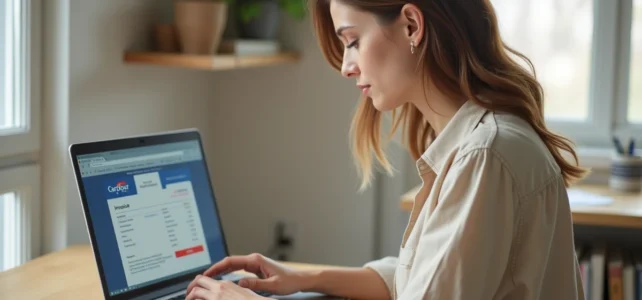
Retrieving an invoice after a purchase at Carrefour requires meeting several technical conditions related to the customer account, loyalty card, and payment method used. Access to this document depends on the purchase channel (physical store, Drive, online order) and the correct linking of cards to the digital profile. This guide details the mechanisms to master in order to obtain this document without going through the store’s customer service.
Carrefour Invoice by Purchase Channel: What Changes Specifically
The process for retrieving an invoice differs depending on whether the purchase was made in-store, via Drive, or on the online shop. Here is a comparison of the three situations.
| Purchase Channel | Online Invoice Access | Main Condition | Availability Timeframe |
|---|---|---|---|
| Physical Store | Yes, via carrefour.fr/services/facture | Loyalty card linked to the account | Several hours after checkout |
| Drive (pickup or delivery) | Yes, in the “My Orders” section | Online account with associated order | Available as soon as the order is validated |
| Online Order (non-food) | Yes, customer area | Account created at the time of order | Available after shipping |
For in-store purchases, the “Generate My Invoice” page on carrefour.fr serves as the main entry point. The digital receipt, accessible in the Carrefour mobile app, serves as the basis for issuing the invoice. Some stores, like the one in Ajaccio, have communicated about this feature since 2023, confirming that it is possible to issue an invoice directly online from the dematerialized receipt. Knowing how to easily generate a Carrefour invoice online primarily relies on the proper configuration of one’s account.
Linking Carrefour Cards: The Most Common Blockage Point
The majority of failures in retrieving an invoice stem from incorrect linking of cards to the online account. This technical point is rarely highlighted, but it conditions the entire process.
The email address must be strictly identical on the loyalty card, Pass card, and Bonus card if they are used. A minor difference (a dot, a dash, an uppercase letter) is enough to prevent the retrieval of receipts and invoices in the account history.
Three cards can be linked to the same profile:
- The Carrefour loyalty card, which records in-store purchases and allows for the generation of invoices afterwards
- The Pass card (Carrefour payment card), whose transactions must be associated with the same email as the online account
- The Bonus card, used in certain promotional programs, which must also be listed under the same address
If any of these cards is linked to a different email, the purchase data does not synchronize. The account then shows an empty history, with no possibility of generating any invoice.
Verification and Correction of Linking
Verification can be done from the customer area on carrefour.fr or from the mobile app, in the section dedicated to cards. In case of inconsistency, changing the email address on one of the cards may require a visit to the store or contact with customer service.
No Carrefour system allows for the retrieval of a receipt without a card or reference. A purchase paid in cash, without presenting the loyalty card, leaves no trace that can be used to generate an invoice online. The only recourse then remains the store’s customer service, with the original paper receipt.
Carrefour Mobile App and Dematerialized Receipt: Actual Functioning
The Carrefour app has offered the dematerialization of the receipt for several years. By scanning the loyalty card at each checkout, the receipt automatically appears in the app.
This digital receipt serves as the basis for accessing the invoice generation page. The typical process unfolds as follows:
- Open the mobile app and access the purchase history
- Select the receipt corresponding to the relevant purchase
- Follow the link to the “Generate My Invoice” page on carrefour.fr, where the account information (name, first name, address) is automatically integrated into the document
- Download the invoice in PDF format
The invoice includes the customer data provided in the account, not those from the receipt. If the address or name is incorrect in the profile, they will also be incorrect on the invoice. A prior verification of personal information helps avoid having to regenerate the document.
Carrefour Drive Invoice: Differences from the Physical Store
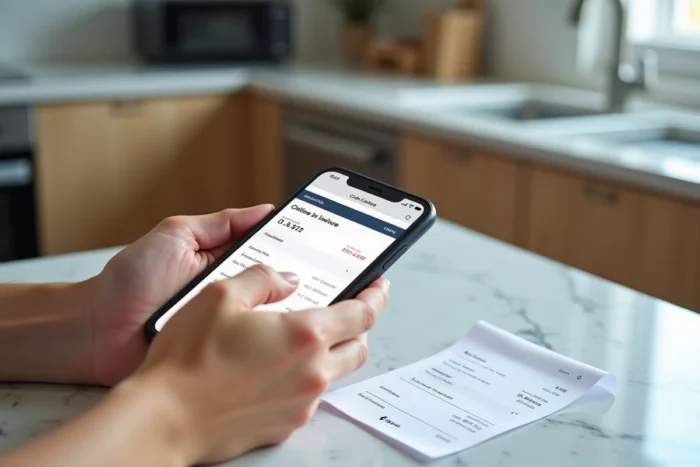
For Drive orders, the invoice is accessible directly from the “My Orders” section of the customer area. The mechanism differs from the physical store in one respect: the Drive invoice may reflect last-minute adjustments (missing product replaced or removed).
The billed amount corresponds to the actual prepared cart, not the ordered cart. A discrepancy between the order summary and the final invoice is therefore normal. The invoice serves as proof for any refund request or accounting justification.
However, Drive orders do not require specific linking of a loyalty card since the online account acts as a unique identifier. This process simplifies the retrieval of the document compared to in-store purchases.
Duration of Online Invoice Retention
For orders related to ticketing or Carrefour Spectacles services, the invoice can be issued up to one year after the event date. For standard food or non-food purchases, the duration of availability in the customer area is not officially specified, but dematerialized receipts remain accessible for several months in the app.
A professional purchase requiring an invoice with complete legal mentions (VAT number, company name) may require specific processing through Carrefour Pro, the branch dedicated to businesses and professionals.
The key point to remember is the linking of cards and the consistency of account data. Without this step, none of the described methods work. Verifying personal information and the email address associated with each card before attempting to generate an invoice helps avoid most of the blockages reported by users.